


In a hypothetical print shop, two colleagues are preparing different next steps for the same job. One is waiting for the customer to approve revised artwork. The other is about to send it into production because the scheduling sheet still says “ready.” Both believe they’re using the right information.
That’s a stronger reason to reconsider your spreadsheet workflow than a large file or a crowded tab. You should consider replacement when dependable shared work requires controls your current setup cannot reasonably maintain. But first establish whether the problem is unclear working rules, competing records or updates the tool cannot safely control.
The useful test is to follow one job through a difficult change. Can everyone identify its current state? Can an old update overwrite a newer decision? Can someone authorize work without meeting the agreed conditions? Those answers give you a grounded way to compare an improved spreadsheet, an existing application and a small internal tool.
One job, two trackers, two different next steps
In the hypothetical shop, Maya, the account coordinator, receives revised artwork for job J-104, a brochure print run. She sends proof B to the customer and changes the main job tracker to “Awaiting customer approval.”
The production lead works from a separate scheduling sheet. It still shows J-104 as ready, based on the customer’s approval of proof A. Maya is supposed to update the main tracker and notify production, but nobody is explicitly responsible for reconciling the scheduling copy.
The process requires the same business fact to be maintained in multiple places. Updating one place successfully can still leave someone else with a plausible but incorrect instruction.
“Everyone should communicate better” doesn’t remove that dependency. It leaves the coordinator remembering a second update, production noticing it and someone resolving any disagreement. A reminder may help, but it doesn’t establish which record governs the job.
A useful shared record could be this simple. All details below are hypothetical:
| Field | Current value |
|---|---|
| Job | J-104, brochure print run |
| Status | Awaiting customer approval |
| Responsible person | Maya, account coordinator |
| Next action | Obtain approval for proof B |
| Current proof | B |
| Approval | Proof A approved; proof B approval outstanding |
| Approval evidence | Reference to the customer’s message approving proof A |
| Last update | Tuesday, 10:15 a.m., by Maya |
This record makes the immediate decision clear: proof B is not approved for production. It also tells the production lead who is handling the hold, without requiring them to interpret a loose note or search an email chain.
You could maintain this information in a spreadsheet or an application. The important distinction is between separate editable copies and different views of the same maintained information. A production view that reads the current job status can be useful. A manually maintained production copy creates another place for status to disagree.
There’s an alternative diagnosis worth checking. Suppose both colleagues saw the same current record, but “ready” meant “artwork received” to Maya and “approved for production” to the production lead. Consolidating the trackers wouldn’t fix that. You’d need separate, agreed states and a clear release condition.
Even a perfectly clear record only shows the hold. It doesn’t physically prevent someone from starting a press. Decide what authorizes production: a release action in the application, an instruction sent to scheduling, or a person checking the authoritative record before work starts. Your replacement needs to support that actual control point, not just display a more accurate status.
When has your business actually outgrown spreadsheets?
There isn’t a useful universal cutoff based on employees, rows or revenue. A small tracker can be unsuitable if an unchecked change authorizes expensive work. A much larger sheet can remain appropriate when people use it for analysis rather than operational instructions.
Use this keep-or-replace checklist to identify the intervention you need:
- Can everyone act from one maintained record? If independently edited copies need regular reconciliation, investigate whether shared views can replace them. If repeated copying remains necessary, evaluate another tool.
- Do status and responsibility mean the same thing to everyone? If departments interpret them differently, repair the definitions and handoff rules before configuring software.
- Can the setup prevent a consequential invalid action? If an unchecked update can authorize work prematurely, specify the condition that must be enforced. Decide whether a documented human check is sufficient or whether software must enforce it.
- Does everyone need the same access? Preventing accidental edits is different from restricting access to sensitive information. Genuine confidentiality requirements need an appropriate access model.
- Can you reconstruct a consequential change? If resolving a dispute depends on colleagues remembering what happened, define the history you need and test whether the tool retains it.
Unclear definitions and missing responsibility point first to process repair. Repeated reconciliation despite clear rules gives you a stronger reason to investigate replacement. Consequential access and update requirements should become acceptance tests: specific behaviors a proposed solution must demonstrate before you rely on it.
For J-104, one test is straightforward: after proof B replaces proof A, can someone authorize production using the old approval? If the answer is yes, the workflow still has a gap, regardless of how polished the interface looks.
Compare each option against the same difficult update
When you’re deciding whether to replace spreadsheets with internal tools, compare the available options against the same job. Otherwise, a familiar sheet gets judged by its daily frustrations while new software gets judged by its best demonstration.
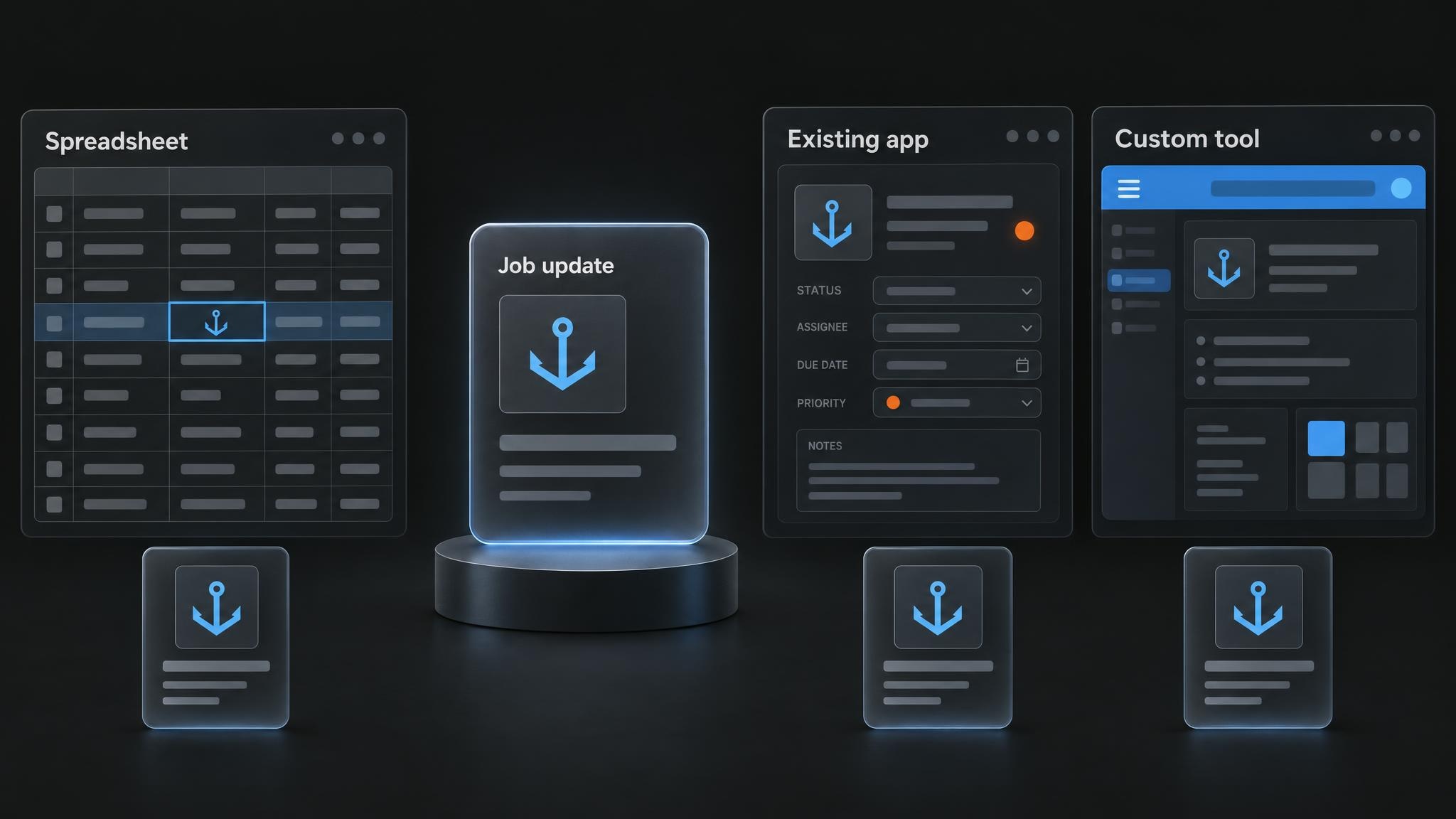
Improve the sheet when shared rules are enough
Keeping the sheet is reasonable when one maintained tracker, agreed statuses and clear responsibility can make the work dependable. Replace departmental copies with views of that tracker where practical. Define who changes the current proof, who records approval and what production must check before proceeding.
Protecting calculation areas or limiting routine editing can reduce accidental damage. Those protections aren’t necessarily security controls, though. Google explicitly warns that protected sheets and ranges should not be used as a security measure. Someone being unable to edit a cell doesn’t establish that they should be allowed to see its contents.
This option suits work where people can reliably follow straightforward conventions and a mistaken entry can be caught before it causes a consequential action. It becomes less convincing when staff repeatedly have to inspect several fields, compare versions and remember exceptions before every handoff.
Try the improved arrangement with a representative job. If production can confidently identify the current proof and approval, and the remaining human check is appropriate for the risk, a new application may add little.
Configure an existing application when its workflow fits
A production-management application or configurable internal-tool platform may already support the core work. Your task is to test the fit, not count features.
Ask the vendor or implementer to demonstrate J-104: assign the coordinator, replace the proof, record approval, attempt an unauthorized release and export the resulting record. Then have two people open the job and make conflicting updates. Observe what happens rather than assuming a form-based application handles conflicts safely.
For example, AppSheet documents last-writer-wins behavior for conflicting changes to the same row. That means a later update can take precedence over an earlier one. It’s a platform-specific behavior to account for, not a reason to dismiss every configurable application. Test the proposed configuration against your stale-update scenario.
Existing software is a good fit when its workflow supports your release rules without fragile workarounds. Accepting the vendor’s terminology or a different screen arrangement may be reasonable. Requiring a separate spreadsheet to establish whether the current proof is approved is a more substantial compromise.
Build a small internal tool when the remaining gap matters
Custom development becomes worth considering when you can name the consequential requirement other options cannot reasonably support. For J-104, that could be a proof-specific release rule combined with protection against an older open form removing a newer approval hold.
The justification should be narrower than “we want everything in one place.” A useful requirement is: “When a release is accepted, approval must match the current proof, and an outdated update must not overwrite a later change.”
Custom application development for internal operations can provide tailored behavior, but that behavior needs ongoing ownership. Someone must maintain the application as your approval process, staff roles and connected systems change.
The meaningful cost comparison is the work required to keep the rule dependable. In an existing application, an administrator or implementation partner may maintain configurations and check them after platform changes. In a custom tool, a developer maintains the rule and its tests. If a packaged product needs several workarounds to connect approval to the current proof, those workarounds may become harder to maintain than a focused custom feature. If the product supports it directly, custom development may be unnecessary.
Ask each provider to show how the rule is maintained, who can change it and how you’ll know a change hasn’t broken it. A demonstration of a refused invalid action can tell you more than a tour of successful screens.
The first version should make the next valid action clear
For the hypothetical print shop, a minimum interface could contain a searchable job list, a job-detail screen and a controlled update form. The list helps people find work. The detail screen shows the current state and supporting evidence. The form lets people make permitted changes.
Start with where jobs originate. If an order system creates them, preserve its stable job identifier rather than asking staff to invent another reference. If coordinators create jobs manually, define the required information and how duplicate entries are detected.
The detail screen should build on the sample record: status, responsible person, next action, current proof, proof-specific approval and last update. Maya’s assigned work should make “Obtain approval for proof B” visible. Production should see that same approval condition when opening J-104.
A proof reference must identify a particular version. A link called “latest artwork” that changes underneath an old approval leaves ambiguity. Retain the approved proof identifier and a reference to the customer’s approval evidence. An entry showing that Maya selected “Approved” is a record of her action, not itself evidence of what the customer approved.
Reject stale updates without losing newer decisions
Now test the harder case. The production lead opens J-104 while it still shows “ready.” Before the lead saves an update, Maya records the revised proof and places the job on an approval hold.
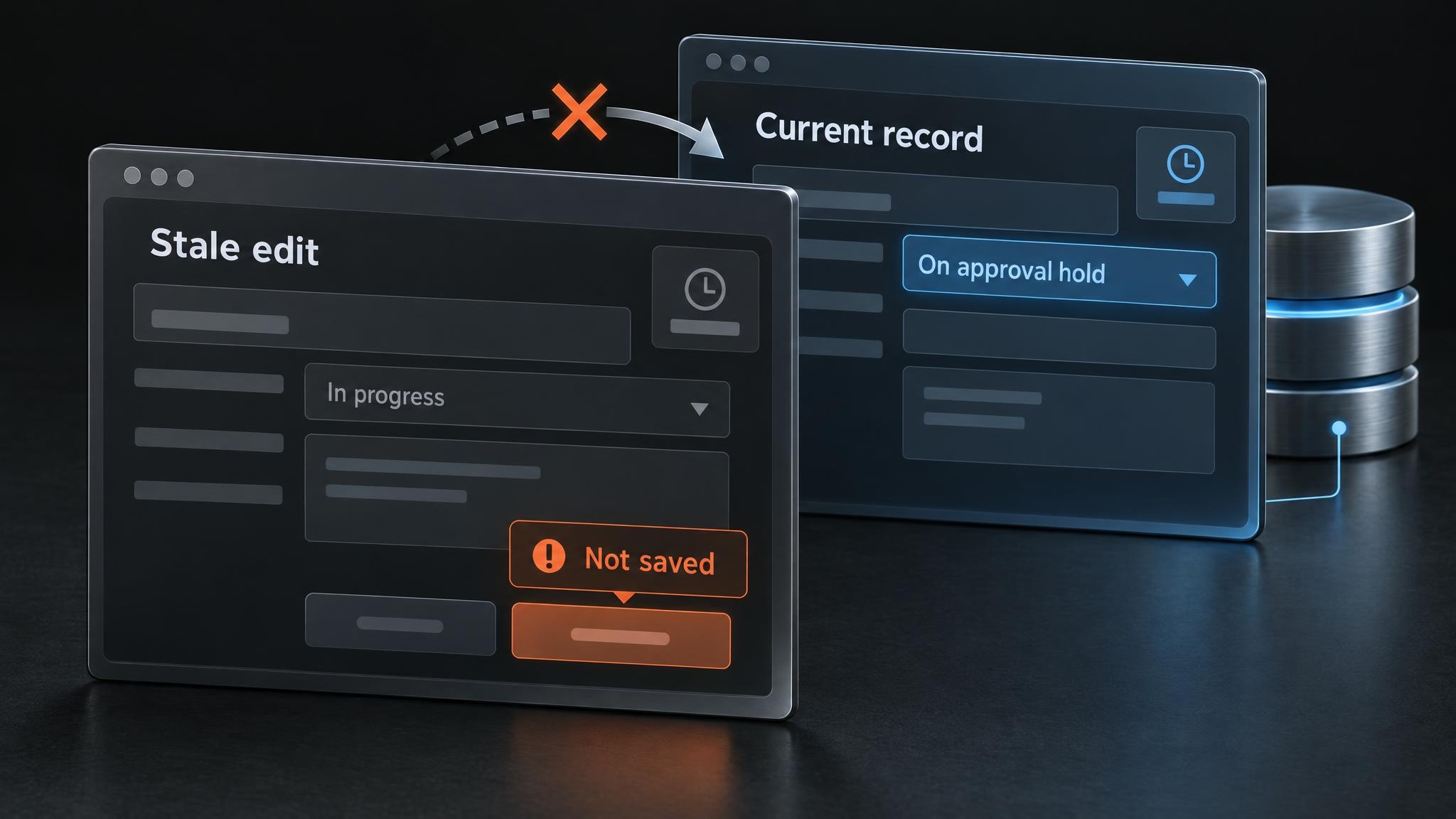
If the lead’s old form can save its earlier status over Maya’s change, the new tool has preserved the original problem.
One safeguard is record-version checking. When the lead opens the job, the system notes which version was loaded. When the lead saves, it compares that version with the current record. The comparison and acceptance of the update must happen as one indivisible operation, so another change cannot slip between them.
If Maya has changed the record, the system rejects the stale update and displays the current information for review:
This job changed after you opened it. Proof B is now awaiting approval. Your update has not been saved.
The lead can then review the change rather than unknowingly overwrite it. This approach is commonly called optimistic concurrency. Microsoft’s Dataverse documentation on optimistic concurrency describes implementation controls for that platform. The protection requires implementation; it isn’t something to assume comes with a new form.
For your purchase decision, ask for the observable behavior: open the same job twice, save a change in one session, then attempt a conflicting update from the older session. The implementer should show how newer information remains protected.
Validate approval when release is accepted
Version checking doesn’t establish whether a requested action is valid. Someone using a current form could still attempt to release an unapproved proof.
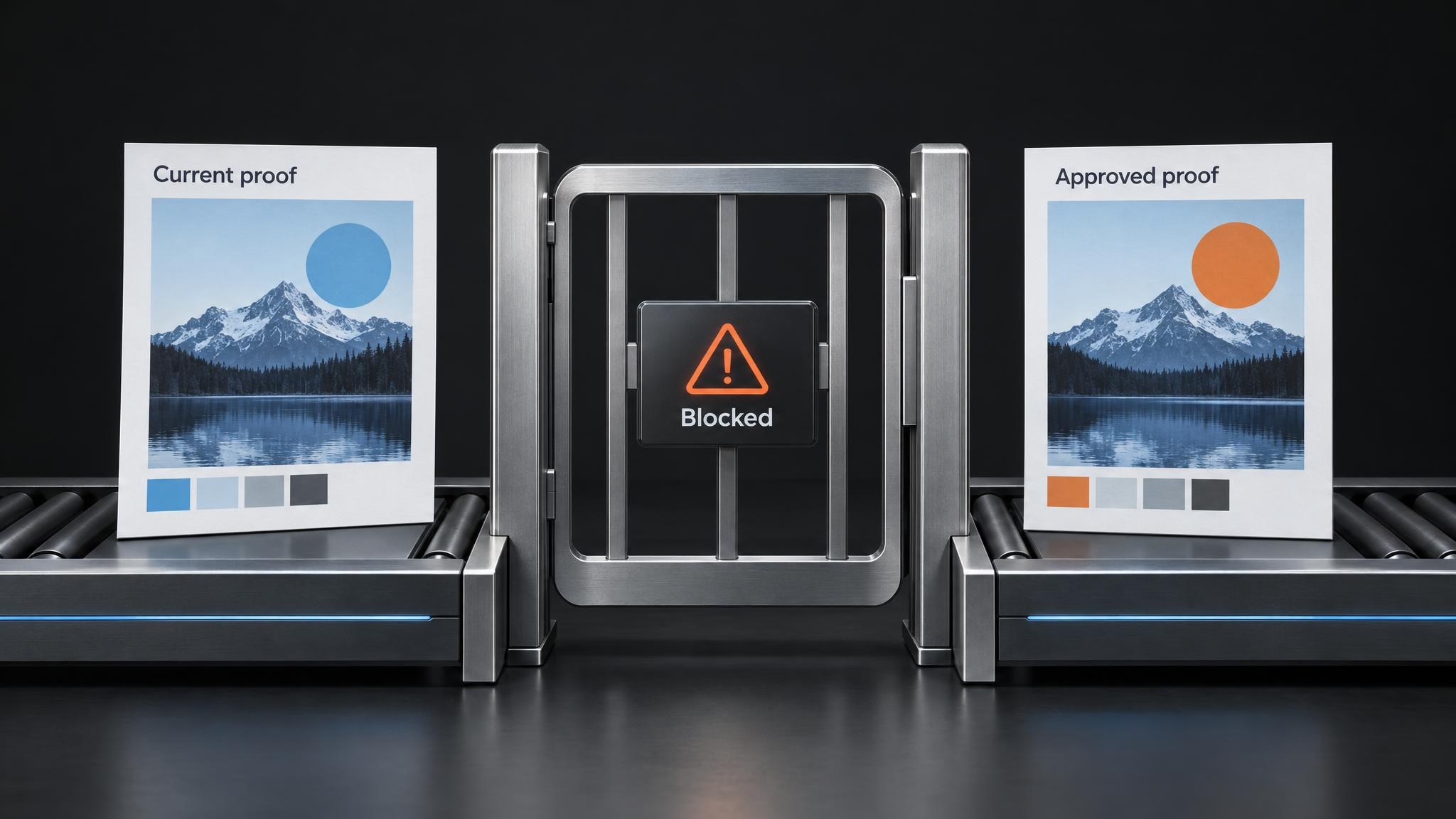
When accepting release, the system must check the current proof and its approval together, as part of the same indivisible operation that records the release. Checking when the screen first opens is too early. The proof could change before the user clicks “Release.”
For J-104, approval of proof A must not authorize proof B. If proof C later replaces B, approval of B must not automatically count as approval of C. That’s a business rule distinct from rejecting stale edits: one protects the freshness of an update; the other establishes whether the action is allowed.
The release also needs to reach the place people act. If an application sends authorization to scheduling, specify how a failed transfer is shown and who resolves it. Scheduling must not present an old authorization as current. If production instead relies on a person checking the authoritative record, make that check an explicit operating step.
Finally, decide what happens when artwork changes after a release has already been issued. A tracker cannot undo printing that has started. The process needs a stop-or-review path that alerts the production lead and records their response, rather than silently changing the job back to “Awaiting approval.”
Keep permissions and save feedback understandable
Define access around the decisions people make. Coordinators might maintain proof and approval information; production staff might record production progress. Authorized corrections should retain who changed what, when and why.
Enforce those permissions when the system receives an update, not merely by hiding buttons. That distinction is consistent with OWASP’s authorization guidance: users shouldn’t gain permission by sending the same request another way.
People also need to know whether a save was accepted, rejected or could not be confirmed. If the outcome is uncertain, provide a safe way to check the current record before trying again. Otherwise, staff may create duplicate updates or return to a private spreadsheet they trust more.
Pilot the change without creating another competing tracker
A pilot should test whether people can operate the new arrangement, not whether they can maintain two arrangements at once. Choose a coherent set of jobs involving both coordinators and production staff. A pilot limited to the person entering data won’t expose problems experienced by the person acting on it.
Before importing records, clean up identifiers and resolve conflicting statuses. If the tracker says “awaiting approval” and scheduling says “ready,” don’t let the import choose whichever value appears last. Have the responsible person establish the current state from the available evidence. Where evidence is missing, preserve that uncertainty and hold the relevant action.
Define the operating boundary during scoping and validation: which jobs move, where updates belong and what must work before staff rely on the tool. Rehearse an ordinary handoff, a revised proof, a stale edit and a failed save. Ask the people who will use it to complete those tasks without the implementer explaining every click.
For the selected jobs, designate one authoritative editing location. Keep their old spreadsheet records read-only, with a clear indication of where updates now belong. If other jobs remain in the sheet, mark the boundary so staff don’t have to guess. Mandatory parallel entry would recreate the competing records you’re trying to remove.
Teach the work rather than just the interface: how to find a job, change its proof, record approval and respond to a rejected update. Name someone who handles questions and disputed records, so exceptions don’t become an unofficial side tracker.
Use a few measures that reveal whether the arrangement is workable. Count occasions when someone must compare sources to establish a job’s current state. Track active jobs without a responsible person or usable next action. Record rejected and failed updates separately: a correctly rejected stale edit is different from an unexplained save failure. Compare equivalent work where possible, without assuming every count should improve.
Agree who supports the tool, removes access and handles an outage. Backups should have a tested restoration process; an export alone doesn’t establish that you can recover a working system.
Make the pilot reversible, too. If you return to the spreadsheet, export current records and relevant history, reconcile changes made during the pilot and explicitly transfer editing authority back. Reopening an obsolete backup would discard work rather than reverse the pilot safely.
Specify the update your next tool must handle
Before asking for proposals, write down one update your current setup cannot reliably support. Include what changed, who acted on different information and what should have prevented that action.
For J-104, the requirement is more precise than “better tracking”: approval must match the current proof when release is accepted, stale updates must not remove a newer hold, and the production team must receive the resulting instruction. That gives you something concrete to test, whichever type of tool you choose.
If you’d like help making that decision, bring PixelPrecision a redacted tracker and one conflicting job update. We can review the tracker and conflicting update with you to identify whether clearer working rules, existing software or a small internal tool deserves closer evaluation.