


Customers keep calling to ask which service they need because your website doesn't explain the difference. You're considering a new site, but you haven't established whether the problem is the wording, the page structure or the software underneath it.
Those are different problems, and they don't justify the same purchase. A focused repair may resolve a confusing page or broken form. Restructuring may help when useful information is scattered or difficult to maintain. A rebuild deserves consideration when technical constraints, accumulated problems or ongoing maintenance make narrower changes a poor fit.
The useful starting point is the smallest maintainable intervention that addresses the actual constraint. That doesn't always mean the smallest project. It means comparing complete options before paying to replace something that may still work.
Start with the job your website isn't doing
“We need a better website” isn't specific enough to guide a recommendation. Choose one important task: helping a buyer select a service, find a compatible product, book an appointment or complete an application.
Describe the problem in a sentence:
You need [person] to complete [task], but [observable obstacle] prevents it.
Then observe someone attempting that task without coaching, and have the responsible employee confirm what happens afterward. A confusing service description, an unusable form and a completed request sitting in an unchecked inbox need different remedies. The last problem may require clearer ownership rather than website development.
The following hypothetical businesses show how that distinction changes what you should buy.
Two websites, two different reasons to change
These businesses, proposed changes and sample outputs are hypothetical. They illustrate scope decisions, not PixelPrecision projects or measured results.

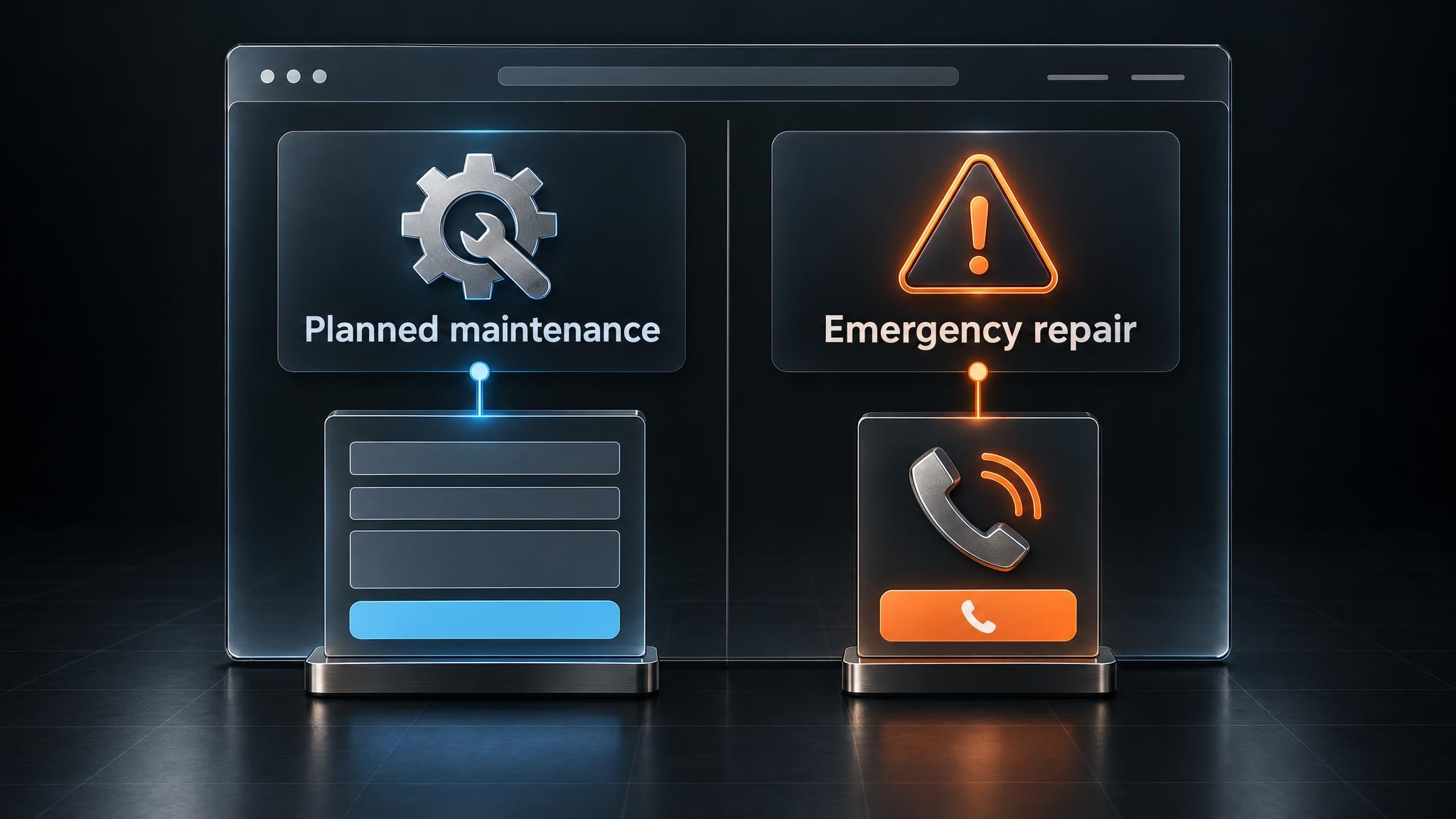
An older-looking service site that needs focused repairs
Imagine an equipment-maintenance company whose website looks dated but works on mobile devices. Staff can edit its pages, and test submissions reliably reach the service coordinator. The recurring problem is that buyers can't distinguish preventive maintenance from emergency repair.
Both service pages lead with similar statements about experienced technicians and dependable support. The navigation calls them “Service Solutions” and “Technical Services.” Neither label helps a customer decide where to go.
The first intervention is to clarify the choice. Rename the options around the customer's need, explain the difference near the top of each page and make the appropriate next action explicit.
The planned-maintenance page might explain that it's for scheduled servicing and invite visitors to describe their equipment and requirements. The emergency-repair page needs a visible phone route, operating information and a clear statement about how urgent requests are handled. An online submission must not imply guaranteed immediate attendance.
Keep the working content management system and form connection. Include the selected service in the submitted request so the coordinator doesn't have to reconstruct the customer's choice.
Hypothetical request received by the coordinator: “Selected service: planned maintenance. Equipment: packaging line. Request: discuss a scheduled servicing arrangement.” Those details come from the customer's page selection and form entries, not assumptions about what they need.
To check the change, give representative buyers a situation, such as arranging routine servicing, and ask them to choose a route. Watch where they hesitate. Then submit a test request and have the coordinator confirm that the service selection arrives correctly.
If the submission doesn't arrive, trace form storage, notification delivery and recipient settings separately. Clearer wording can't resolve a delivery fault. Until the fault is corrected, the page needs a dependable alternative contact route, and someone must own checking for affected requests.
If the choice becomes understandable and the handoff works, focused repairs may be sufficient. The company can still choose a visual refresh, but it can now distinguish that preference from the changes needed to support its customers.
A polished product site that needs a structural decision
Now imagine a commercial-lighting supplier with attractive product pages. Buyers need to find fixtures compatible with a recorded installation requirement, but compatibility details sit inside manually written descriptions. Product staff copy the same information across individual pages.
The practical need is a dependable way to select products and maintain their specifications. A new visual design wouldn't supply either one.
Start by defining the information the buying decision requires. Depending on the actual catalog, that could include mounting type, dimensions, voltage and documented control compatibility. Store these as consistently named fields, often called structured attributes, rather than burying them in paragraphs.
However, consistent fields alone don't remove duplicate maintenance. A dimension specific to one fixture belongs in that product's record. Compatibility information shared across a product family may need one maintained family record, connected to every relevant product. Otherwise, staff still have to repeat the same correction in multiple places.
Test one product family in the existing CMS, the system employees use to edit and publish content. Can it store the required fields and shared records? Can product pages and selection filters use them? When an authorized employee changes a shared value, does that change appear everywhere it should?
If the existing platform supports those relationships, reorganizing the content and rebuilding selected templates may be enough. That's substantial work, but it isn't automatically a platform replacement.
If the test exposes fragile workarounds or unsupported relationships, investigate a broader rebuild. The requirement should explain the decision: “Product staff need to maintain shared compatibility information once and display it consistently,” rather than “We want a modern catalog.”
Hypothetical buyer-facing output: “Fixtures matching the selected mounting type and recorded control requirement.” That shortlist uses maintained product attributes. Products with missing compatibility information must remain unknown, not become inferred matches.
The product manager owns the source information and reviews incomplete records. A product with missing data might direct buyers to confirm suitability with the product team instead of appearing as a confirmed match. Staff should also be able to check that a source update reaches both the product page and the selection tool.
This test separates three decisions: whether to restructure the information, whether to rebuild parts of the implementation and whether to change platforms. You may need one, two or all three.
Separate messaging, navigation, CMS and platform constraints
A useful website audit identifies why an important task fails. A long list of imperfections is less helpful if it doesn't distinguish a confusing label from missing information or a technical limitation.
These four layers give your audit a practical structure. Each should produce a finding that changes the proposed scope.
Messaging: does the page help someone choose?
Check whether a key page explains who the offer suits, what it includes, where it doesn't fit and what to do next. General claims about quality rarely help someone choose between similar services.
The finding that matters is whether customers lack an explanation or whether the business hasn't defined the offer clearly enough to write one. In the first case, content and layout changes may help. In the second, your team needs to settle the service distinction before a designer can present it accurately.
Navigation: is the useful information in the expected place?
Your internal department names may not match how customers look for help. Someone searching for replacement parts shouldn't need to understand your organizational chart.
Compare the route customers expect with your page groups, menu labels and links. If the right information exists but sits behind an unfamiliar label, reorganizing access may be enough. If several pages contain conflicting versions of the answer, the scope also includes consolidating content and deciding who maintains it.
Google's SEO Starter Guide explains the value of logical organization and descriptive links. Those are useful foundations for people and search engines, not a promise of improved rankings.
CMS: can employees complete real updates safely?
Have the employee who maintains the site demonstrate a recurring update. Changing a staff biography is a different test from updating a specification used across a product family.
Watch for repeated entry, layouts that break during ordinary edits and permissions that block the responsible person. Identify which steps require a developer and why.
The answer might be an existing feature, a reusable template, clearer permissions or training. It might also be a content structure that no longer matches the business. An edit button isn't enough if a routine change requires checking a dozen unrelated pages.
Platform: what requirement can't the foundation support?
Ask for a reproducible demonstration of the limitation. Is it in the platform itself, the current theme, an extension or the connection to another system?
For example, a booking problem may originate in the booking service's rules rather than the website displaying it. Replacing the website won't change those rules unless the proposed scope also addresses that connection.
A focused extension can be sensible when its behavior, maintenance and ownership are clear. A chain of undocumented workarounds is different. Your decision should account for how ordinary changes will be supported, not just whether a developer can make a demonstration work.
Use a repair, restructure or rebuild decision table
Repair addresses a bounded fault while retaining the surrounding structure. Restructuring changes how pages or information relate to one another. Rebuilding replaces a substantial part of the implementation.
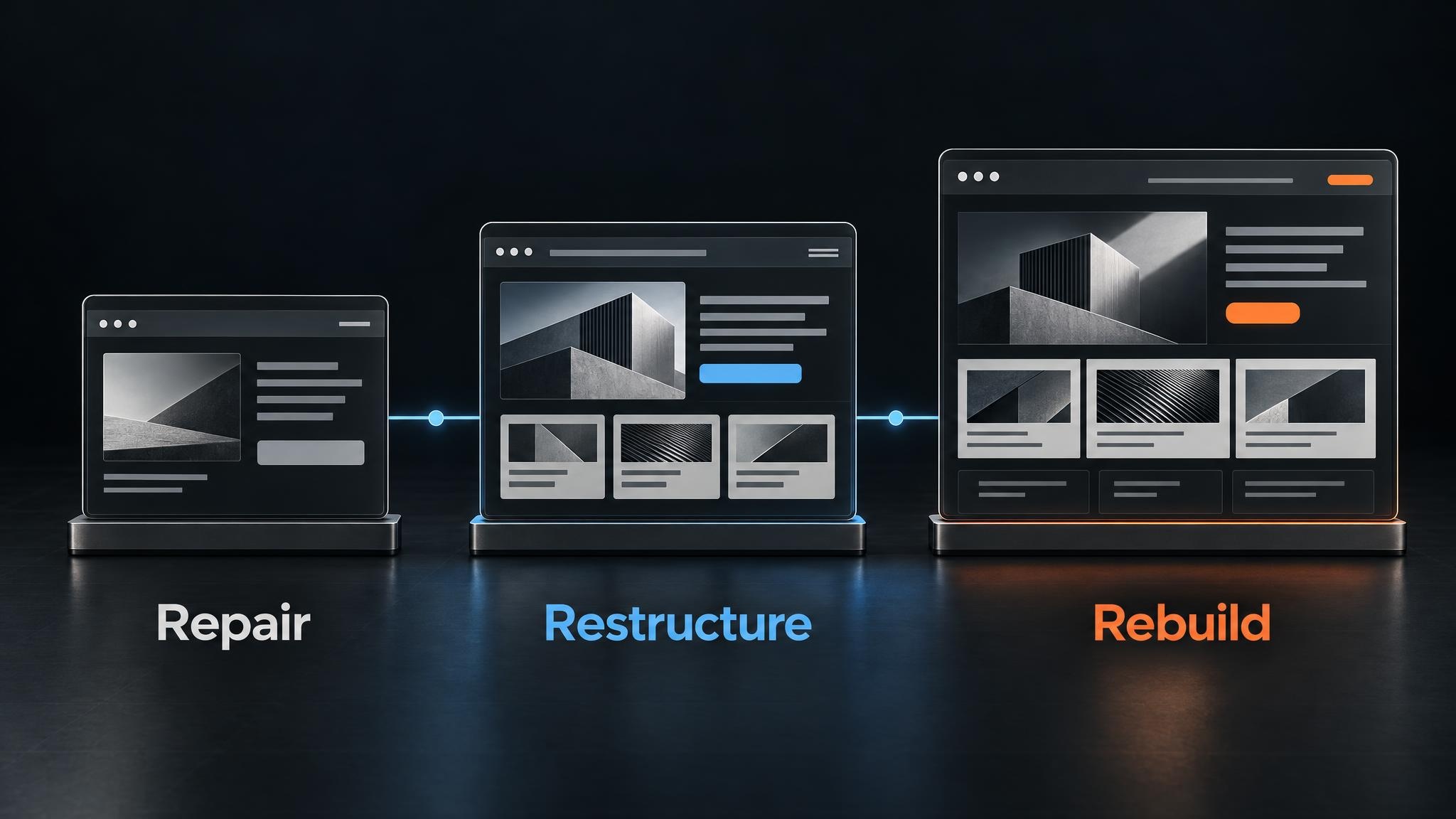
A project can combine these paths, such as retaining a CMS while rebuilding templates and reorganizing content. A visual redesign changes presentation and can accompany any of them.
Use the table to choose the next investigation, not to diagnose your entire site from one symptom.
Observable website problems and the next test before committing to replacement
| Likely path | Observable symptom | Sensible next test | Reason not to rebuild yet |
|---|---|---|---|
| Repair | Customers misunderstand an offer, but the pages are editable. | Revise one important page and observe whether customers can choose the appropriate next step. | The existing foundation may already support the task. |
| Repair | A form fails at an identifiable step. | Trace submission, storage, delivery and receipt by the responsible employee. | A localized connection or configuration may be the problem. |
| Restructure | Useful information exists, but customers can't find it. | Prototype a page arrangement based on customer tasks. | Better organization may fit the current platform. |
| Restructure | Staff repeatedly copy shared information. | Test shared records and consistently named fields for one product or service family. | The current CMS may support a maintainable content model. |
| Evaluate rebuilding | A required workflow depends on fragile workarounds or cannot be supported. | Demonstrate the requirement and compare a narrower implementation with replacement. | Configuration and implementation faults still need to be ruled out. |
| Compare combined scopes | Several repairable problems affect the same templates, data or connections. | Compare coordinated rebuilding with separate repairs, including maintenance and disruption. | Multiple symptoms may share one repairable cause. |
| Gather evidence | The site feels old, but the failed task is unclear. | Observe customer tasks and staff updates; check available records. | Appearance doesn't establish the necessary technical scope. |
Compare complete scopes, not just initial development work
A strong reason to rebuild is that a necessary capability can't be provided dependably through a narrower change. Another is that several individually repairable problems make piecemeal work harder to maintain or more disruptive overall.
Suppose page templates, editing controls and a product connection all need changes in the same part of the site. Separate repairs could repeatedly disturb that area while preserving dependencies everyone intends to remove. A coordinated rebuild may be more coherent. Conversely, several visible faults might come from one shared template and need only one repair.
Ask each proposal to include content preparation, data cleanup, staff involvement, training, ongoing support and dependencies. Compare equivalent requirements. A repair proposal that excludes a difficult connection shouldn't look cheaper simply because the rebuild proposal includes it.
Also ask what uncertainty remains. A bounded technical test may be appropriate before committing to a larger scope. Its output should be a demonstrated capability or limitation, not merely another presentation recommending development.
There's no universal replacement age that settles this comparison. A maintainable older site can remain useful; a newer one can be poorly suited to the business.
When comparing web development options, ask why the proposed scope is sufficient, what it leaves unchanged and what evidence would justify a different approach.
Define what must survive either path
Before choosing a scope, identify what already works. Otherwise, a proposal can make change visible while quietly removing something useful. Keep this as a continuity record, not a detailed migration plan.
Content and search value
Record useful service explanations, product identifiers, maintained specifications, recognizable brand elements and important page addresses. Include customer tasks that currently succeed, not just pages your team likes.
The Search Console Performance report can help you examine pages and queries receiving impressions and clicks. Keep those findings separate from completed inquiries or sales. Search visibility identifies content worth investigating; it doesn't establish commercial value on its own.
A page receiving little search traffic may still be essential for existing customers or sales conversations. Ask the people who use and share it before deciding it's disposable.
Operational connections and responsibility
Describe each important connection in plain language: “The booking tool records the appointment, sends confirmation to the customer and places it in the office calendar.” Name who checks failures and where they can see the relevant record.
For product information, identify the maintained source and who can correct it. For inquiries, record what information reaches the responsible person. These details help prevent a redesign from preserving the visible form while losing a useful field or notification.
Ownership, editing and access requirements
Your business should know who controls the domain, hosting, CMS, analytics and connected services. Account ownership problems need resolving regardless of the development path.
Specify the updates employees must be able to complete without routine developer intervention. Define “editable” through a real task, such as updating opening hours everywhere they appear or correcting a shared product specification.
Accessibility also belongs in the acceptance requirements for repairs and rebuilds. Check keyboard use, visible focus, understandable labels and useful error messages. The W3C's preliminary accessibility checks offer a starting point, not a comprehensive assessment or assurance of legal compliance.
Bring a decision brief, not just design preferences
You don't need a finished technical specification before speaking with a development partner. You do need enough evidence to distinguish a business requirement from a preference. A short decision brief is more useful at this stage than a folder of websites you like.
Include the failed task, relevant page URLs, observed obstacles, tools involved and requirements that aren't negotiable. Add an example of a difficult staff update if maintenance is part of the problem.
Separate observation from interpretation. In a hypothetical test, “Three observed users opened the wrong service page” describes what happened in those sessions. “All customers find the site confusing” goes beyond that evidence. If you haven't checked something, mark it unknown.
For the hypothetical lighting supplier, the brief could look like this:
- Task: Help buyers find fixtures matching a recorded installation requirement.
- Observed obstacle: Compatibility information is buried in manually maintained descriptions.
- First test: Model one product family using product-specific fields and shared compatibility records in the current CMS.
- Owner: Product manager, responsible for source records and incomplete information.
- Keep: Product identifiers, useful specification content and maintained source records.
- Unknown: Whether the current CMS can use shared records consistently in product pages and filters.
- Decision needed: Can the existing platform support this structure without repeated copying or fragile workarounds?
The product manager would bring that brief alongside example pages and the records used to maintain them. It gives a developer a concrete investigation and gives you a way to judge the recommendation without assuming the outcome.
Choose the scope you can explain and check
A useful recommendation should state the evidence, proposed scope, alternatives, exclusions and remaining uncertainty. It should explain what your team will maintain and what needs specialist support.
Ask one revealing question: What finding would change this recommendation? A rebuild recommendation should explain why narrower work is insufficient. A repair recommendation should acknowledge what would show that the problem runs deeper.
Agree on acceptance checks tied to the original task before approving development. These might include a customer choosing the appropriate service, a shared specification updating consistently or a submitted request reaching its assigned person. Review those same checks after launch rather than treating delivery of new pages as proof that the business problem is solved.
We approach this as a connected business problem: what the customer needs to do, what your team needs to maintain and what the technology must support. You can read more about PixelPrecision's process as you prepare your brief.
If you're deciding whether to repair, restructure or rebuild, bring us one failing task, its page and the tools involved. Explain where it gets stuck, and we'll help map what should happen next and which level of change deserves investigation before you commit to a new site.